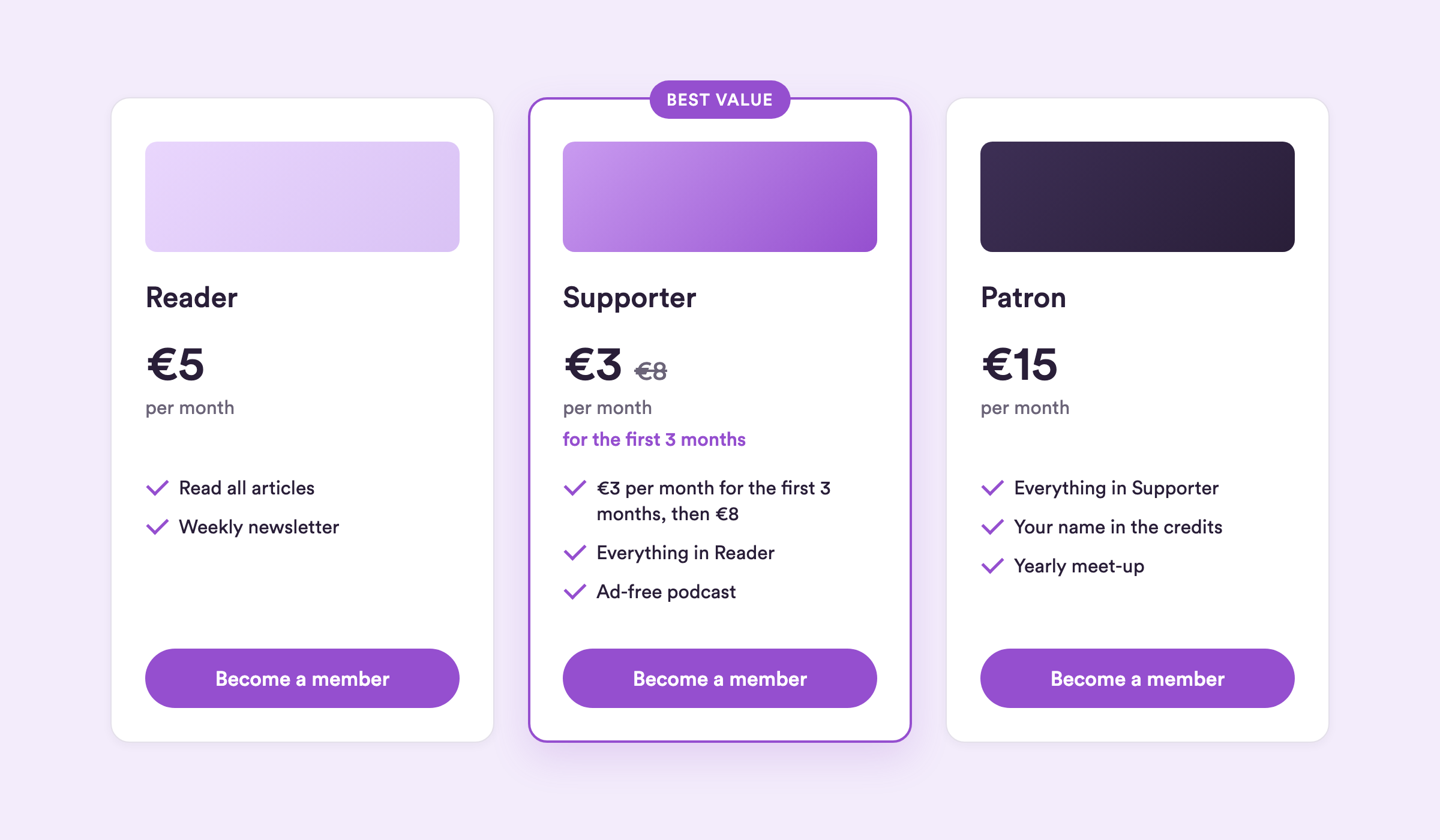
Plans are the offers your community sees on your Steady page. Each one is a membership at a set price that a member pays regularly to support you. Setting up your plans is one of the first things to do when you build your page.
To create a plan, go to the Plans page in your publisher area and click Add new plan. Your plans then appear on your Steady page, where fans and followers can pick one and become members.
A member pays their plan price regularly: every month, or once a year for an annual membership. That money, minus payment and Steady fees, goes to you.
Most media makers do well with three plans – a small, a medium and a large one – but there's no fixed rule. It's up to you.
Just starting out, or running a smaller publication? One plan often works best: fewer choices make the decision easy for potential members, and it's less for you to manage.
Larger or well-established publication? Several plans can work really well, especially when each one offers a different set of benefits. Then highlight the plan you recommend so new members know where to start.
Not sure what to charge? Read How to set plan prices.
You decide which billing cycles you offer, for all your plans at once: monthly only, annual only, or both. Change it under Plans → Plan Settings. New publications offer both.
When you offer both, each plan has a monthly and an annual price. Members choose between them on your plans page and at checkout. The annual price per month can't be higher than the monthly price, so the annual membership is always the better deal.
Members pay for an annual membership up front, and you're paid out in monthly instalments. More in Make the most of annual memberships.
Under Plans → Plan Settings you can also switch on a free trial for all your plans. New members then try a membership before their first payment. The free trial doesn't apply to gift memberships. More in How to offer trial memberships.
Highlight one paid plan to guide new members to the plan you recommend. The plan gets a border in your project colour and a short badge, such as "Best value", on your paywall, your plans page and at checkout. On phones, the highlighted plan moves to the top and is already opened. On larger screens, your plan order stays the same.
Go to the Plans page and click the plan.
Click Highlight.
Enter a badge text (up to 20 characters) and click Save.
Only one plan can be highlighted at a time. Highlighting another plan replaces the current one. Hidden and archived plans lose their highlight, and gift plans don't show it. To remove the highlight, click the plan and choose Remove.

An introductory offer lets new members pay a lower price at the start. Afterwards, their membership renews at the plan's regular price. You add an offer when you create or edit a plan, separately for the monthly and the annual price:
You set a lower price per month and how long it lasts, from 1 to 12 months. The offer price must be below the regular price.
Each person can use an introductory offer once per publication. Members who are already paying don't see it.
A new member gets either the introductory offer or the free trial, never both. If a plan has an offer, the offer applies.
The free plan can't have an offer.
Plans with an offer show their own badge and price line, so they already stand out. Step-by-step guide: How to set up an introductory offer.
Every plan needs a name, and you can add a photo too (aspect ratio 2:1). Keep names short and clear – here are a few ideas.
For a single plan:
Membership
Community pass
Sponsor
For three plans:
S, M and L
Bronze, Silver and Gold
Member, Sponsor and Promoter
Each plan has its own button text, up to 24 characters, for example "Become a member" or "Support us". You set it under Text on button when you create or edit a plan. New plans start with the button text of your most recent plan.
If you offer a free trial, people who can start one see "Try 30 days for free" (or 7 days) on the button instead of your text.
A plan can give members something in return – exclusive content, a perk or another benefit. It's not a must, but offering something back often nudges an undecided visitor into becoming a member. Ideas: Benefits you can offer in return for memberships.
Sending something physical, like a postcard? You'll need members' postal addresses. When you create or edit a plan, tick the box to ask for a postal address during sign-up.
Every plan has its own web address, the plan URL. It opens a page for that one plan, so people can buy it straight away – useful when you want to promote a specific plan. You find it under Share when you click the plan on your Plans page. More in Share a plan with its link.
You can still change several things about a plan after it's published, and raise its price with a price increase. What's possible: Change, archive or delete plans.
Ready to go? Create your plans, then share your Steady page with your community. If anything's unclear, email us at [email protected] – we're happy to help.