You can host one podcast directly on Steady. You upload your episodes as audio files in the post editor, and your members get them in a private podcast feed – and on Spotify, if you like.
Already host your podcast somewhere else? Connect an external podcast feed instead, or publish via Podigee.
In the sidebar, go to Settings → Podcast Feeds and click Add podcast (the + button).
Choose Host on Steady and click Continue.
Enter the Title of your podcast and the Description of your podcast, and upload a Cover (ideally 1400 × 1400 pixels).
Click Save.
Title, description and cover are what listeners see in their podcast app and on Spotify.
Until you have published your first episode, the options under Distribution are greyed out and you see this note:
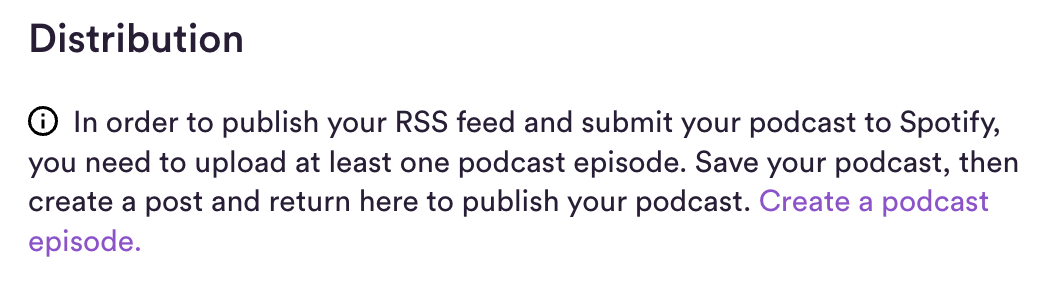
Under Distribution, click Create a podcast episode. The editor opens with a template for a podcast episode – adapt it to your needs.
Upload your episode as an audio file: click + in the toolbar and choose the audio option, or drag and drop the file into the editor.
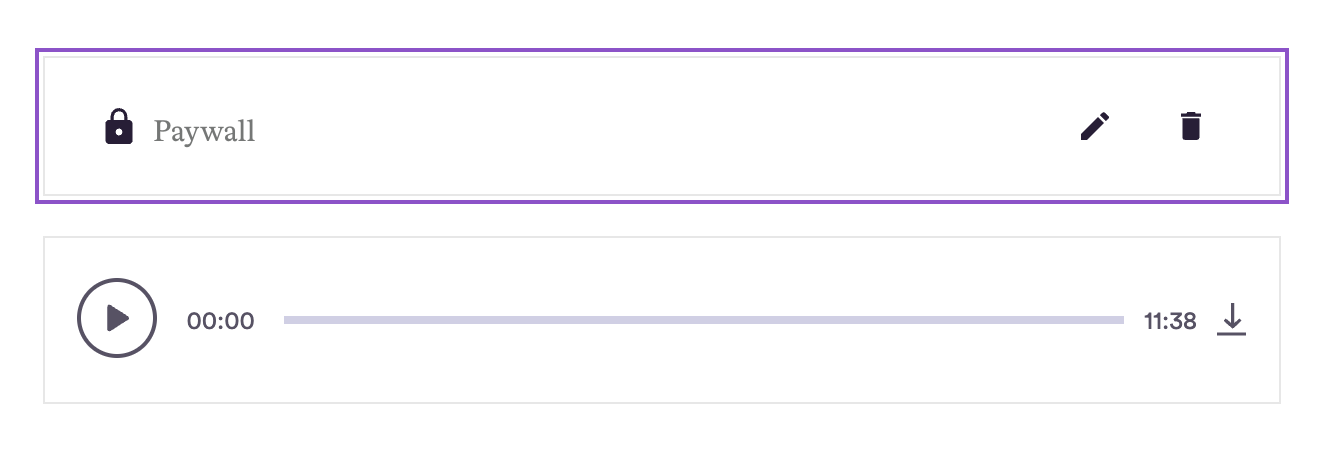
To make the episode members-only, insert a paywall (the lock symbol in the + menu) above the audio file. Everything below the paywall is only visible to members whose plan gives them access.
Add show notes, images or links. Your post becomes the episode description in podcast apps and on Spotify.
Click Continue to open the post settings.
Switch on Publish on your podcast feed for members. Under Episode details, enter the episode Title and a short Description – it's shown as a teaser in the episode list. If your post contains several audio files, pick the one for the feed under Audio file.
Click Publish – or schedule the post for later.
This is how the paywall above the audio file looks in the editor:

Once your first episode is published, go back to Settings → Podcast Feeds, open your podcast and switch on Activate the audio RSS feed, then click Save. You only do this once: every episode you publish to the feed afterwards appears there automatically. More in Distribute your paywalled podcast episodes via RSS feed.
Want your members to listen on Spotify too? Read Steady x Spotify.
Questions? Email us at [email protected].