On Steady, you can publish posts and design them however you like – with images, videos, audio and more – then send them to both free and paying members as an email. In short, Steady doubles as your newsletter tool.
Sending a newsletter just means publishing a post and choosing to send it by email. Here's how:
Write your post. If you want only paying members to read all of it, add a paywall with the lock icon in the toolbar.
Click Continue to reach your post's settings.
Under Access, choose who can read past the paywall – this is only relevant if you added one. Who receives the email is a separate choice.
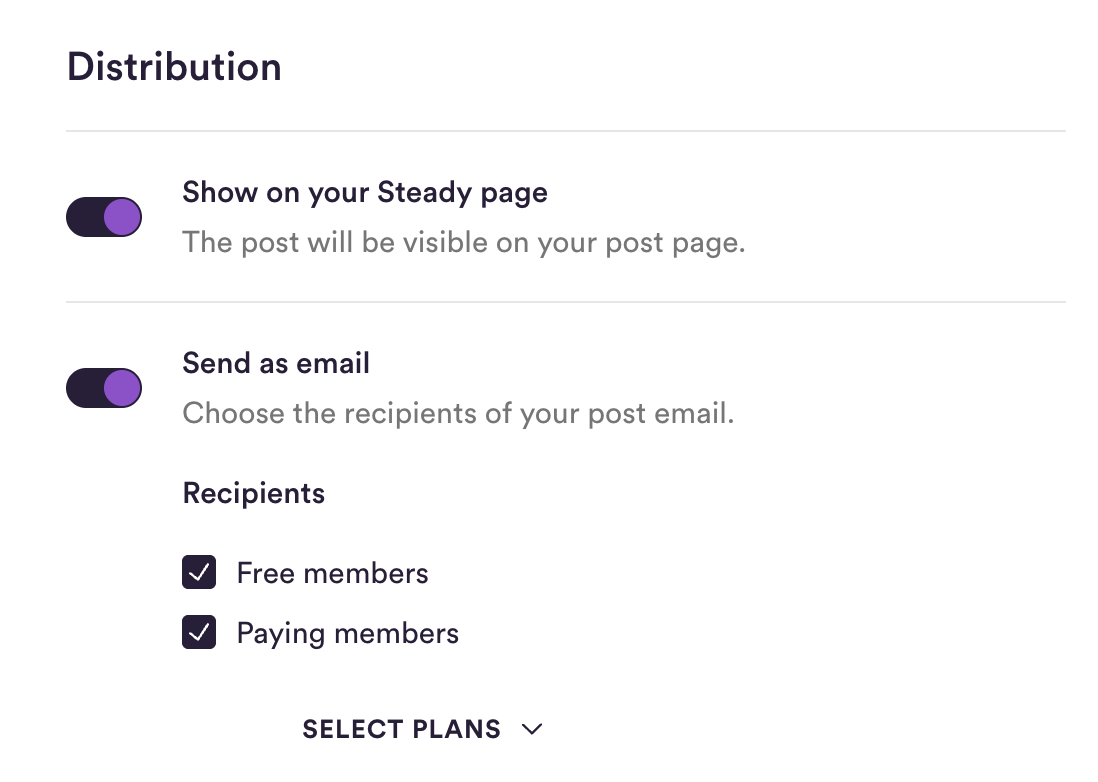
Under Distribution, switch on Send as email and choose the Recipients: Free members and/or Paying members. Use Select plans to limit it to specific plans. Anyone without access gets the version of the email with the paywall.
Use Send a test email now to check how your email looks.
Click Publish – or tick Publish later to schedule it.
Free members receive your posts by email without paying for a membership. They used to be called newsletter subscribers.
People can become free members through:
your Newsletter layer or embedded sign-up form, on your Steady page and on your own website
your sign-up page for free membership on Steady
the free plan on your Steady page and in the checkout on your own website
a recommendation from another project on Steady
the Steady API or Zapier, if you add free members that way
cancelling: when a paying member cancels and chooses to stay on as a free member
Even if your main focus is a podcast, a magazine or another publication, it pays to collect email addresses: a mailing list greatly increases your chances of making your membership programme a success.

Already have a newsletter elsewhere? You can bring your contacts to Steady. The Import email list button appears at the top right of your members table as soon as your project qualifies. How it works: How to import your contacts as free members.
If you don't see the button yet, write to [email protected] and we'll unlock it for you.
Your free members are listed alongside your paying members in your members table under Audience → Members. Filter by Type = Free to see only them.
Under Monetisation → Revenue analytics, the Free members section shows how many active free members you have, plus a chart of how many you gained, lost or converted into paying members.
For per-post details like open and click rates, see Post statistics: conversion, open and click rates.
Embedded content like X posts, images and animated GIFs is shown right in the email.
For audio posts, videos and similar content, a linked thumbnail is created instead. A YouTube video, for example, appears as a preview image that opens YouTube when clicked.
A few embeds work in your post but not in the email – an article preview or a Spotify embed, for instance. When that happens, the email simply shows the link with a grey border:

A test email always shows you exactly how it will look. And don't worry – the most common content is supported in the email:
YouTube
Vimeo
X posts
Images
Audio
Animated GIFs
Your legal notice appears in the footer of your emails. As a publisher on Steady you are obliged to provide a legal notice. Add yours under Settings → Project Settings in the Legal notice field.
That's everything you need to send your first newsletter and start growing your list. Still need help? Email us any time at [email protected] – and if you have ideas for making Steady newsletters better, we'd love to hear them.